
Free Games
Free Games gets your accounts two kinds of free games, only the ones you choose:
- Free to keep: paid games and DLC that Steam gives away at 100% off. Once added, the account keeps them forever.
- Free to play for a while: free weekends, open betas and playtests of big games. The bot plays them 24/7 while Steam allows it, and the hours stay on the profile after the free period ends.
When a new one comes up you get a message in your Discord channel. Nothing is added or played until you switch it on for an account on this page.
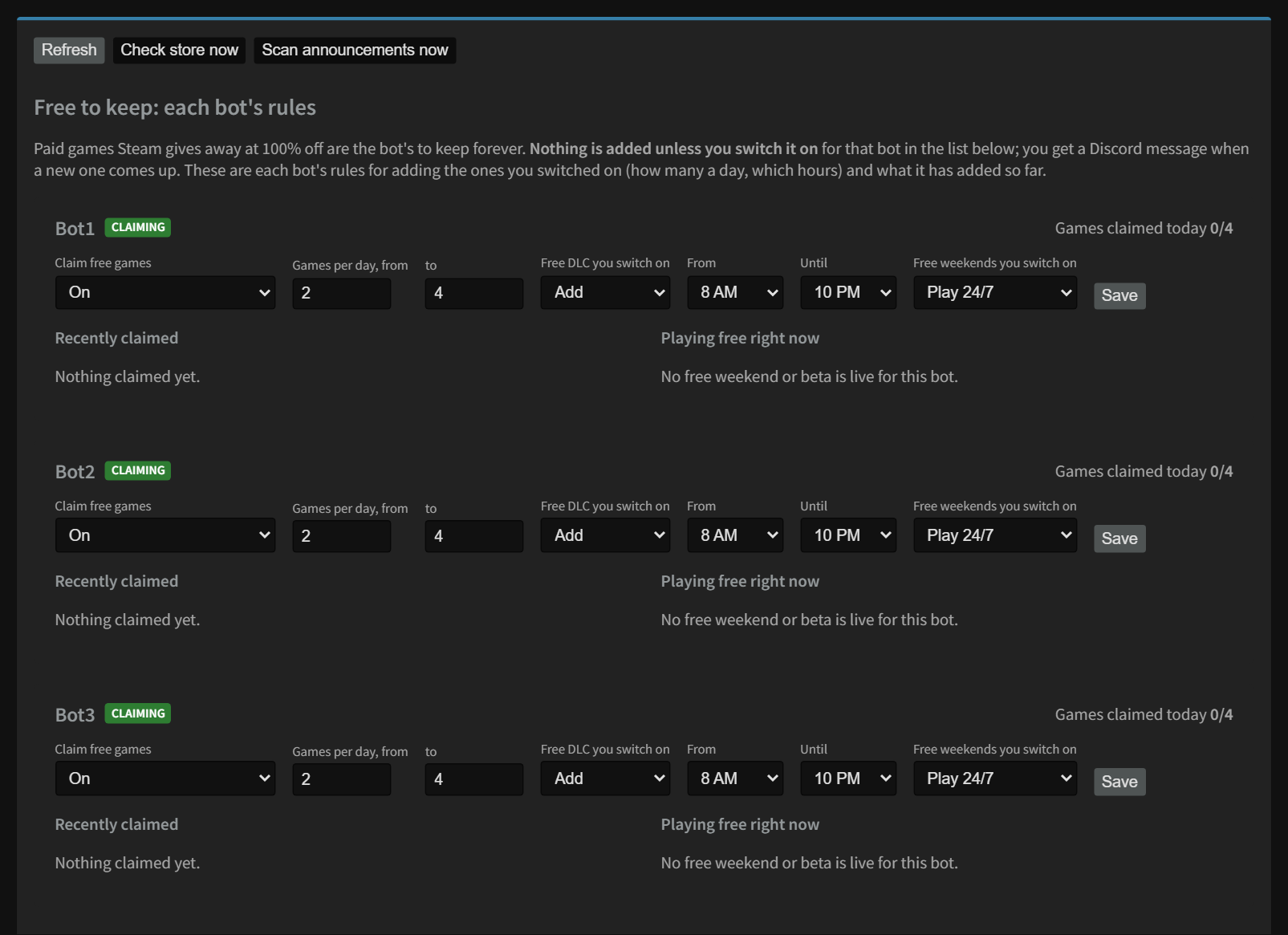
Each bot's rules
| Setting | What it does |
|---|---|
| Claim free games On / Off | Turns adding free-to-keep games on or off for this bot, even the ones you switched on. Off also stops free DLC. |
| Games per day, from / to | A daily limit on adding the games you switched on, picked at random between the two numbers each day, so it looks natural. |
| Free DLC you switch on | Add or Never (up to 3 at a time, no daily limit). |
| From / Until | The hours of the day when it may add them (server clock). |
| Free weekends you switch on | Play 24/7 or Never. |
Click Save when you're done.
What's 100% off today
The list shows every game Steam is giving away right now, with a switch for each bot. Add means it's added within a few minutes (within the bot's daily limit and hours); Off means it's left alone. It also shows owned when the account has it, and base game not owned for DLC it can't use.
- If adding shows failed, it's tried again the next day (up to 3 tries).
- already owned means the account had the game before the free period, so there's nothing to add.
Free to play for a while
The page watches Steam's most played and most anticipated games for free weekend, beta and playtest announcements. When one is announced you get a Discord message. Switch it to Play for the bots you want: each one asks Steam for it and plays it 24/7 within the hour, using one of the bot's play slots. Switch it Off to stop it any time. When Steam takes it back, it stops by itself.
- dismiss stops one you don't want and ignores it for 21 days.
- Check store now and Scan announcements now run the checks right away instead of waiting for the hourly run.
Good to know
- Steam limits how many free games an account can request in a short time. If it hits that limit, the bot waits about an hour and carries on by itself. New accounts may take a few hours to get everything.
- Betas and playtests with no public access on Steam (a key or a sign-up elsewhere) aren't listed: the bots can't join them. You can request access on the game's store page yourself.
- If Steam keeps refusing a free weekend for days after it was announced, the bot stops asking and shows Steam won't grant it: stopped asking. Once every bot has stopped, it leaves the list.
Still stuck? Open a ticket in your private Discord channel, or email admin at noggenfogger dot com.