
Game Groups
Game Groups joins the biggest public Steam community group for each of the games an account plays most, a few per day. It makes the profile look like a real player's.
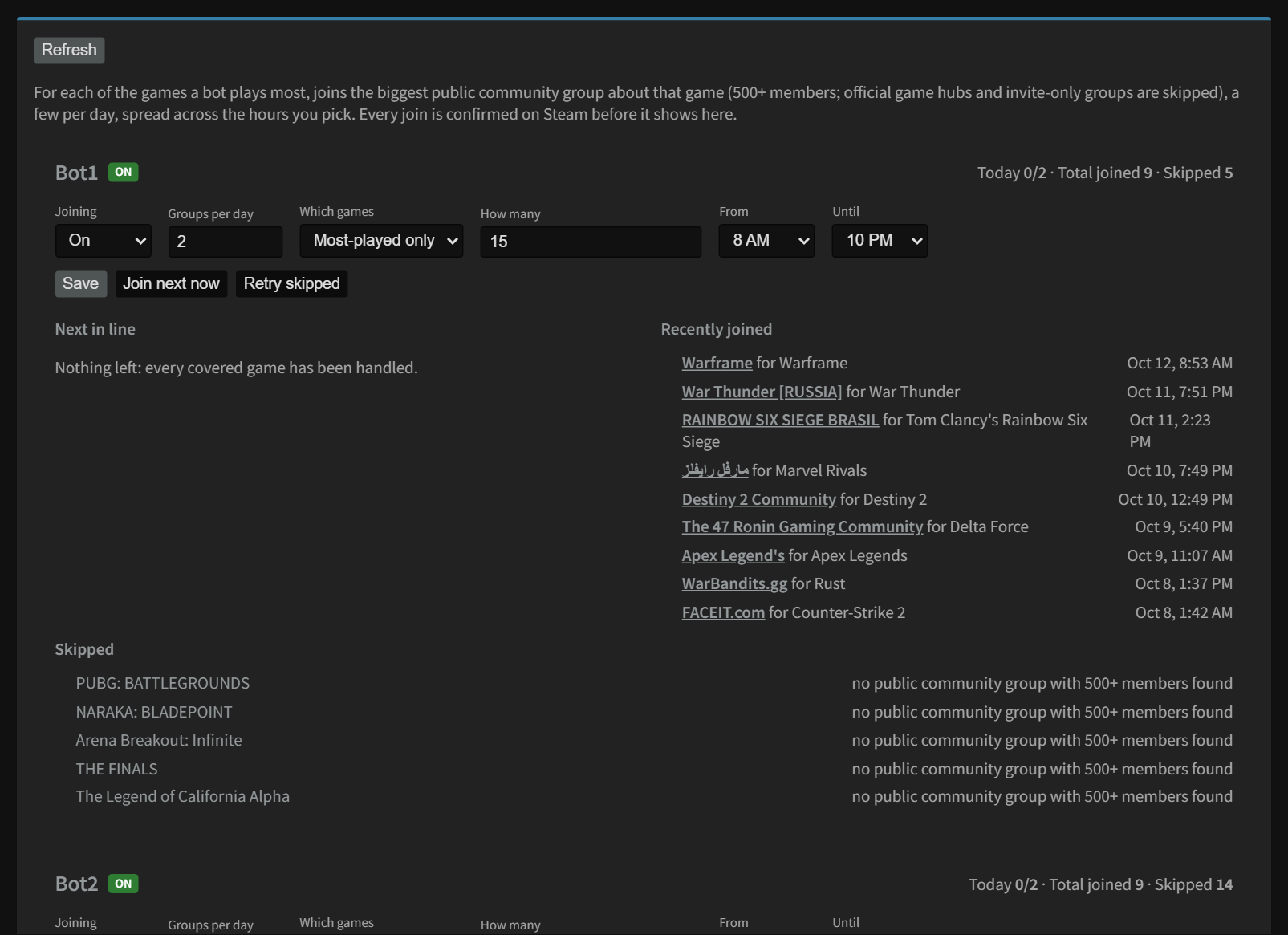
Settings
| Setting | What it does |
|---|---|
| Joining On / Off | Off by default. |
| Groups per day | How many groups to join per day (1 to 20). |
| Which games | Most-played only (the top games by playtime) or All games. |
| How many | How many of the top games to cover. |
| From / Until | The hours of the day it may join (server clock). Joins are spread out over those hours. |
| Join next now | Joins the next group right away. |
| Retry skipped | Tries again for games it couldn't find a group for. |
Click Save when you're done. The page shows Next in line, Recently joined, and anything it Skipped (with the reason). Use exclude to skip a game.
Accounts that can't join
Steam doesn't count group memberships for limited accounts (accounts that have never spent $5 on Steam), so Game Groups skips them: the bot shows skipped: limited account and Today stays at 0. That's expected. Once the account has spent $5, it joins as normal.
Still stuck? Open a ticket in your private Discord channel, or email admin at noggenfogger dot com.