
Play Sessions
Play Sessions decides which games each account plays, and when. Every hour a game is played counts as playtime on the account.
Steam's limit: 32 games at once
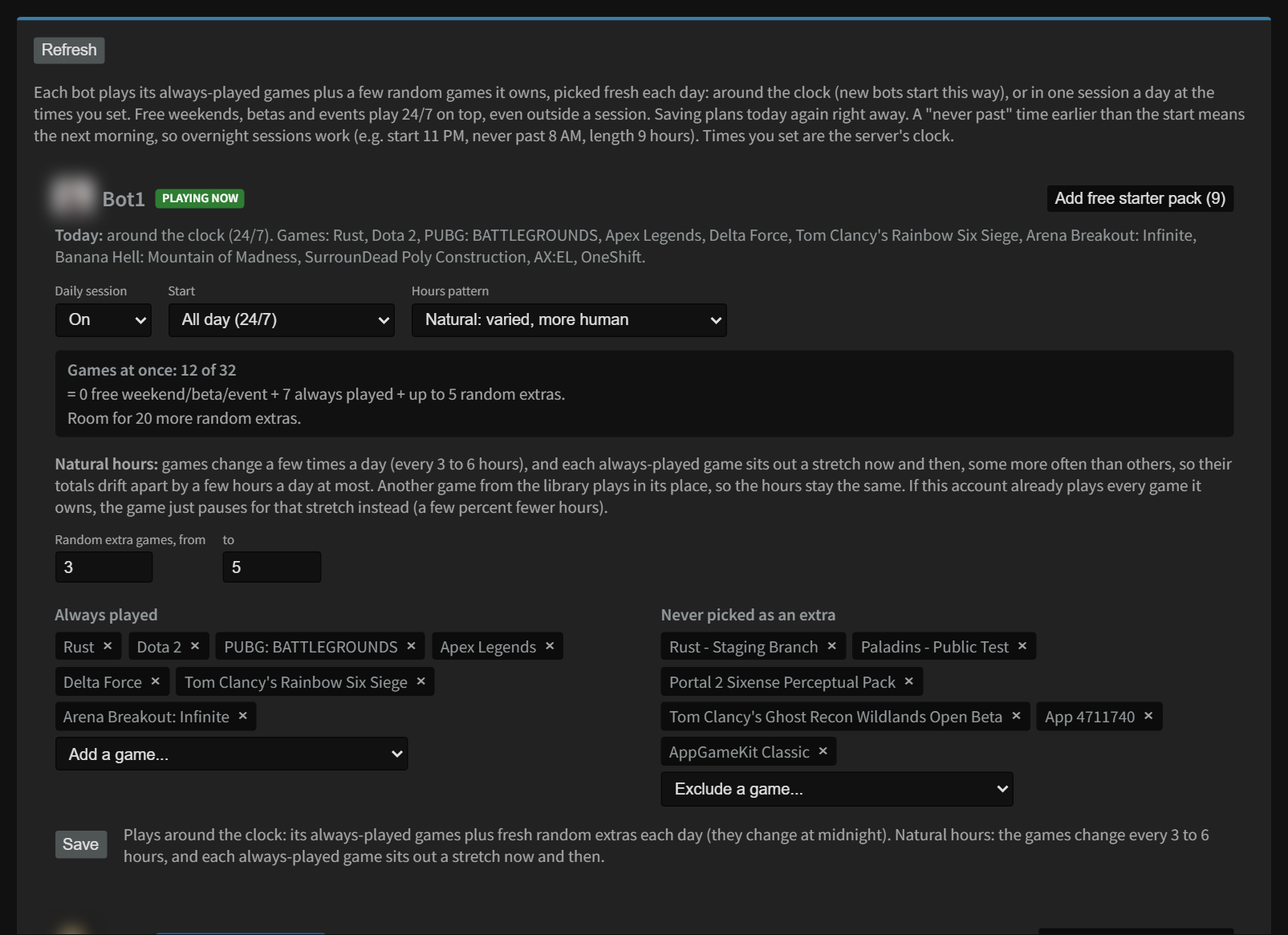
Steam lets an account play up to 32 games at the same time. The counter Games at once: N of 32 adds up everything the bot is set to play: free weekends and events that are live now, your Always played games, and the most Random extra games it can pick. If the total goes over 32, the extras are dropped first.
You can't save a bot where Always played plus the highest number of Random extra games is more than 32. Lower the extras first.
The settings for each bot
| Setting | What it does |
|---|---|
| Daily session On / Off | Off means the bot doesn't run a daily session. Free weekends and events still play. |
| Start | All day (24/7): plays all day, every day (new bots start like this). At a fixed time: starts at the same time every day. Random time in a window: starts at a random time between two times, so it looks less like a machine. |
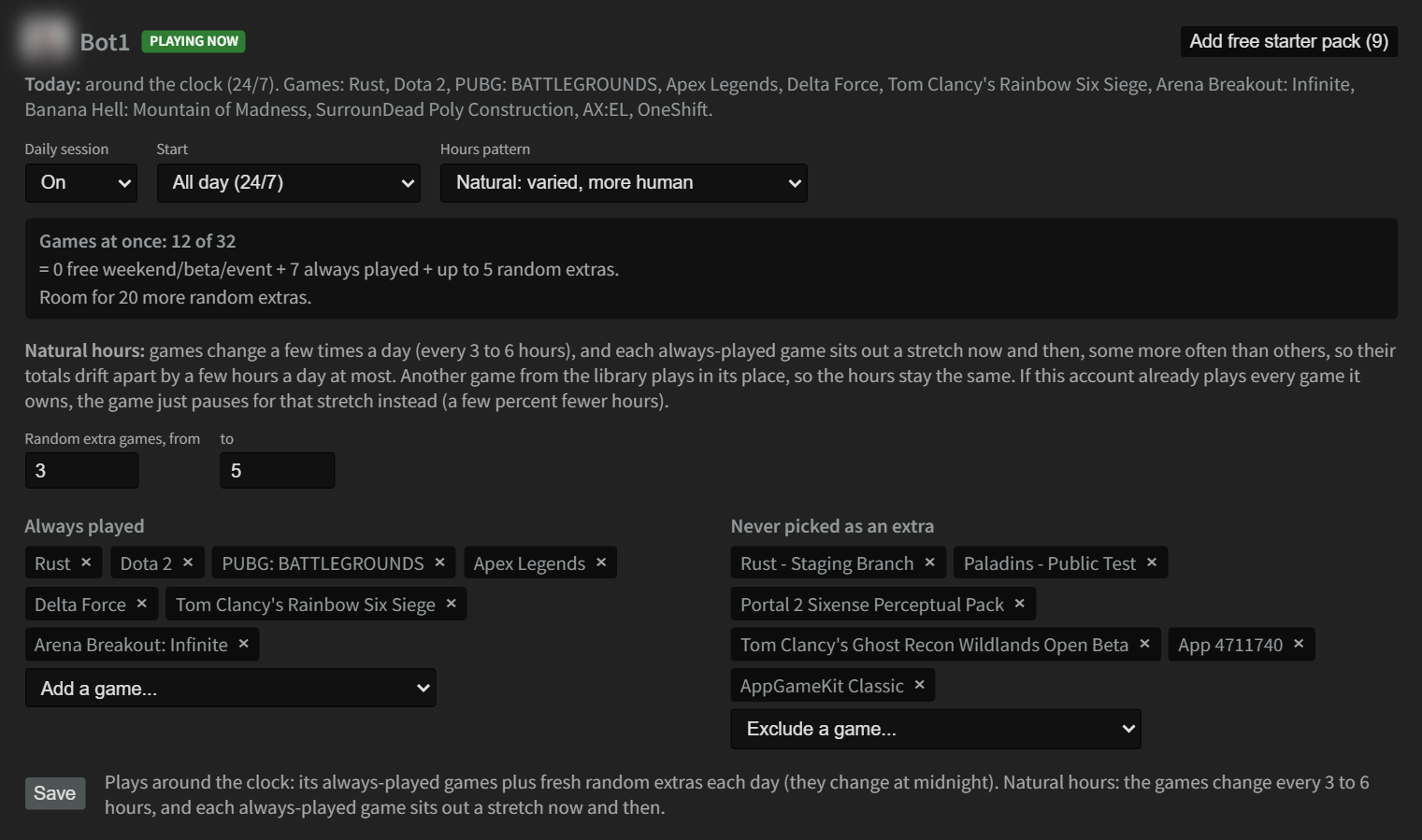
| Hours pattern | Maximum (the default): every Always played game plays the whole session, so they all gain the same hours. Natural: games change a few times a day (every 3 to 6 hours) and each Always played game sits out a stretch now and then, some more often than others, so their totals drift apart by a few hours a day at most. Another of the account's games plays in its place, so the hours stay the same. If the account already plays every game it owns, the game just pauses for that stretch (a few percent fewer hours). |
| Start at / Between and and | The start time, or the window for a random start. Times are your server's clock. |
| Length (hours) | How long a session lasts. It picks a random length between the two numbers, from 0.5 to 16 hours. Not used in 24/7 mode. |
| Never past | The latest a session may end. If it's earlier than the start time, it means the next day, so overnight sessions work. |
| Random extra games | How many of the account's own games it adds at random each day, on top of the Always played ones. It tries not to repeat yesterday's picks. |
| Always played | Games that are always in the lineup. The list shows only games the account owns, and only while the bot is online. |
| Never picked as an extra | Games that are never chosen as random extras. |
| Add free starter pack | Shows when some of the 15 free starter games are missing. Click it to add them; the random extras are lowered if needed to stay within 32. The free licenses arrive within the hour. |
Click Save when you're done.
Saving starts today's plan over. In random mode the start time is picked again, so a session that's running now can end, and the extras are picked again.
Maximum or Natural hours New in version 1.3.12
Every account has an Hours pattern. It doesn't change how many games play at once (that comes from Always played and Random extra games); it only changes how the hours spread across your Always played games.
- Maximum (the default): every Always played game plays the whole session. They all gain exactly the same hours, which is the most hours for each game.
- Natural: the session is split into stretches of 3 to 6 hours. Each Always played game sits out a stretch now and then, some games more often than others, and another of the account's games plays in its place. The account keeps the same number of games playing, so total hours stay the same, but each game's total drifts apart from the others by a few hours a day at most. If someone ever sees the account's playtime, it looks like a person who has favorite games.
Good to know:
- If the account already plays every game it owns, there's nothing to swap in, so a game just pauses for its stretch. That costs a few percent of hours. Adding more games to the library (free games, the free starter pack) fixes that.
- Games only change a few times a day, because every change makes the account sign in to Steam again for a moment.
- Switch between the two any time and press Save. The new pattern starts right away.
What the badges mean
| Badge | Means |
|---|---|
| PLAYING NOW | In a session right now. |
| STARTS LATER TODAY | Today's session hasn't started yet. |
| DONE FOR TODAY | Today's session is over. |
| OFF | Daily session is switched off. |
| in use elsewhere: bot waiting | Someone is playing on this account somewhere else (for example on your own PC). Steam allows only one place to play at a time, so the bot waits and carries on by itself when you stop. |
| offline | The bot isn't connected. It isn't playing until it reconnects. |
Events: play one game 24/7 for a while
Use an event to play a specific game around the clock between two dates, for example a free weekend you know about.
- Click Add event.
- Fill in the Name (optional), the game's Steam app ID (the number in the game's store page address), Starts and Ends, and tick the bots.
- Click Save events.
Between the two times, each ticked bot asks Steam for the game and plays it 24/7, even outside its daily session.
New bots
Always played by new bots is the list every new bot starts with. Add or remove games here (by Steam app ID) and click Save. Random extras fill the rest of the 32 automatically. It only affects bots added after you save.
Good to know
- While a bot collects trading cards (shown as Farming), it plays the card games instead of its lineup.
- Each time the lineup changes (a session starts or ends, midnight, a free weekend starts), the bot reconnects for a moment. That's normal.
- The Today line on the page shows times in your browser's timezone. The settings use your server's clock.
Still stuck? Open a ticket in your private Discord channel, or email admin at noggenfogger dot com.