Profile Setup
New Steam accounts often have an empty profile: no avatar, no summary, no country. Profile Setup fills those in, so the account looks like a real player's.
What it does, and when
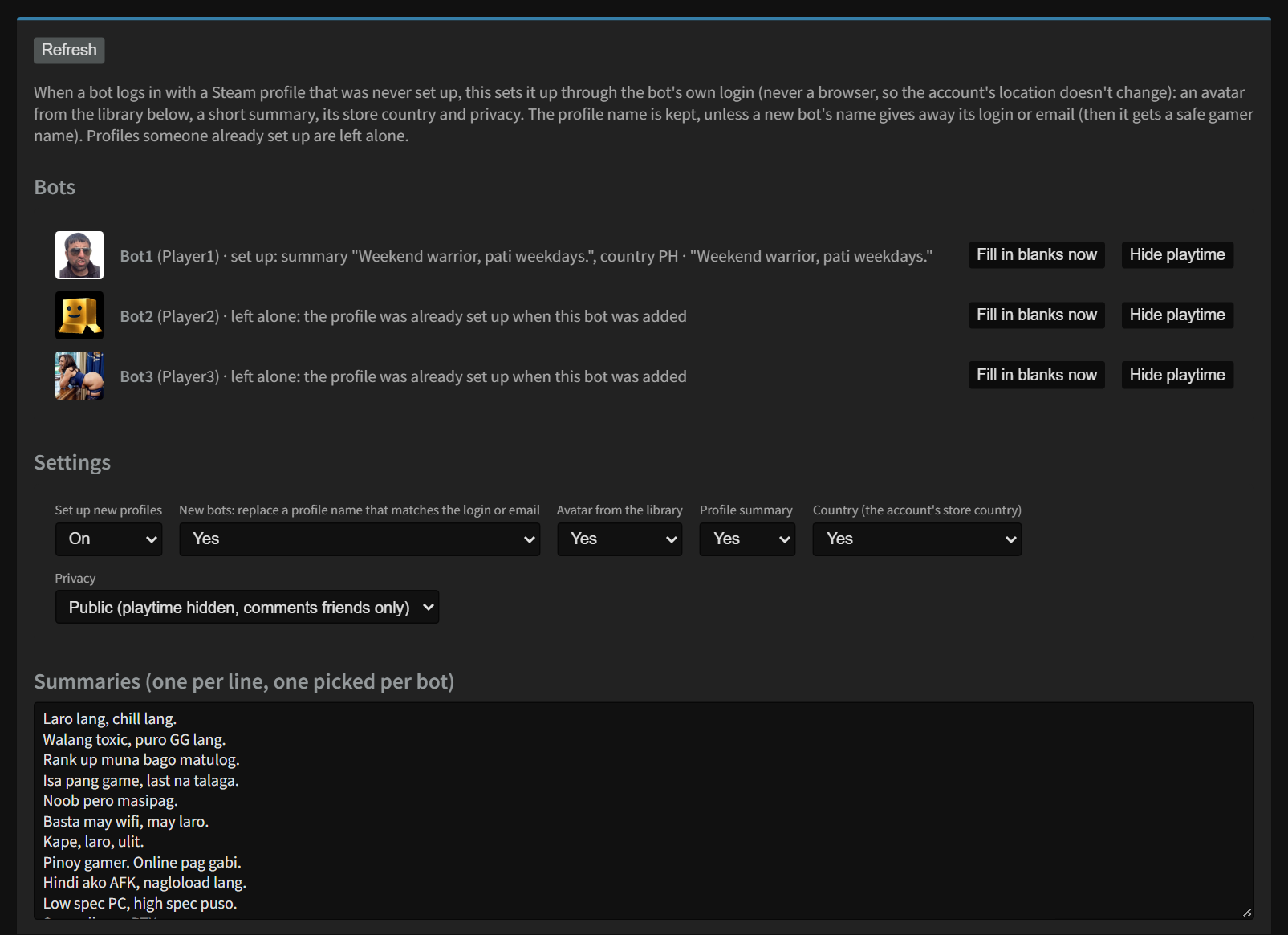
It checks each bot a few minutes after it signs in, and every hour after that. If Steam says the profile was never set up, it:
- turns the profile on,
- adds a summary if there isn't one,
- sets the country to the account's store country if it's empty,
- uploads an avatar from the library if the account still has Steam's default picture,
- sets the privacy.
A profile that was already set up is left alone. Use Fill in blanks now to fill only what's empty on any profile.
Hide playtime (next to each bot) ticks Steam's Always keep my total playtime private on that account and changes nothing else. Do this on every account that was set up before NoggenFogger. See Keep your hours private.
Safe profile names
If a new bot's profile name gives away its login or email (for example the name is the login), it's changed to a safe gamer name. This protects the account: the login should never be public.
Settings
| Setting | What it does |
|---|---|
| Set up new profiles | On or off for automatic setup. |
| Replace a profile name that matches the login or email | The safe-name check above. |
| Avatar from the library, Profile summary, Country | Pick which parts it fills in. |
| Privacy | Public (profile, games, friends and inventory public; playtime hidden; comments friends only) or Friends only (playtime hidden). Playtime is always hidden, because 24/7 play shows hundreds of hours in two weeks. Accounts that have never spent money can't be public, so they're set to friends only. |
| Summaries | One summary per line. Each bot gets a different one. |
| Avatar library | The pictures new profiles get (PNG or JPEG, up to 1 MB, square works best). Each bot gets a different one. |
Click Save settings when you're done.
Still stuck? Open a ticket in your private Discord channel, or email admin at noggenfogger dot com.