
The Bots page
Bots shows every account on your server as a card.
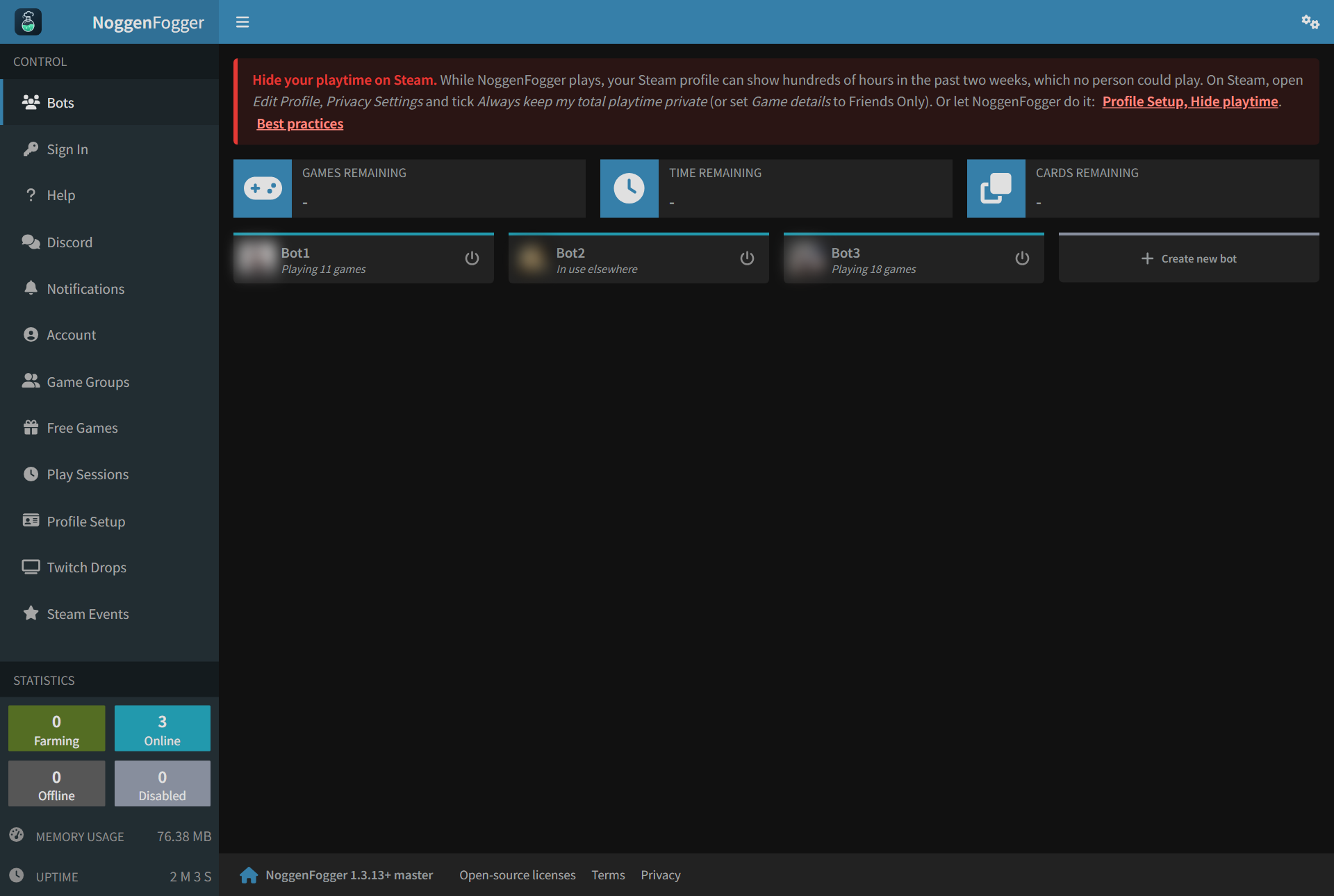
What a card tells you
| On the card | Means |
|---|---|
| Playing 22 games | Signed in and playing its lineup (the number is how many games, up to Steam's 32). |
| In use elsewhere | Someone is playing on this account somewhere else, so the bot waits. It carries on by itself. |
| Online | Signed in, with nothing to play right now. |
| Farming | Collecting trading cards from a game it owns. While it farms cards, the card games are played instead of its normal lineup. |
| Sign-in needed: click to sign in | Steam signed the account out. Click it and sign in again. |
| Offline | Not connected to Steam right now. It reconnects by itself. |
| Disabled | Switched off. |
- Click the picture to open the account's Steam profile.
- The power button starts or stops the bot.
- Click the name to open the bot's own page.
Renaming a bot
On the bot's page, click the pencil next to its name.
- Names can use letters, numbers,
-and_. No spaces. - The bot keeps everything: its sign-in, schedule, games, history and settings.
The server restarts to apply a new name, so ALL bots go offline for about a minute.
Adding a bot
Click Create new bot. See Add a Steam account.
Still stuck? Open a ticket in your private Discord channel, or email admin at noggenfogger dot com.