What NoggenFogger does
First: hide your playtime on Steam. Running 24/7 makes your profile show hundreds of hours in two weeks. It takes two minutes: Keep your hours private.
NoggenFogger runs your Steam accounts for you, around the clock, on your own server. While you sleep, work or play on something else, it:
- Plays games for hours. Each account plays up to 32 games at once (Steam's limit), so every game it plays builds playtime.
- Adds free games. 15 of Steam's biggest free games from day one, plus free weekends, open betas and playtests while they last, plus paid games and DLC that go 100% off.
- Collects Steam's daily freebies. The Discovery Queue, sale stickers and free Points Shop items.
- Sets up the profile. An avatar, a short profile summary, the country and privacy, for profiles that were never set up.
- Joins community groups for the games the account plays most.
You don't need to keep your PC on. Everything runs on the server.
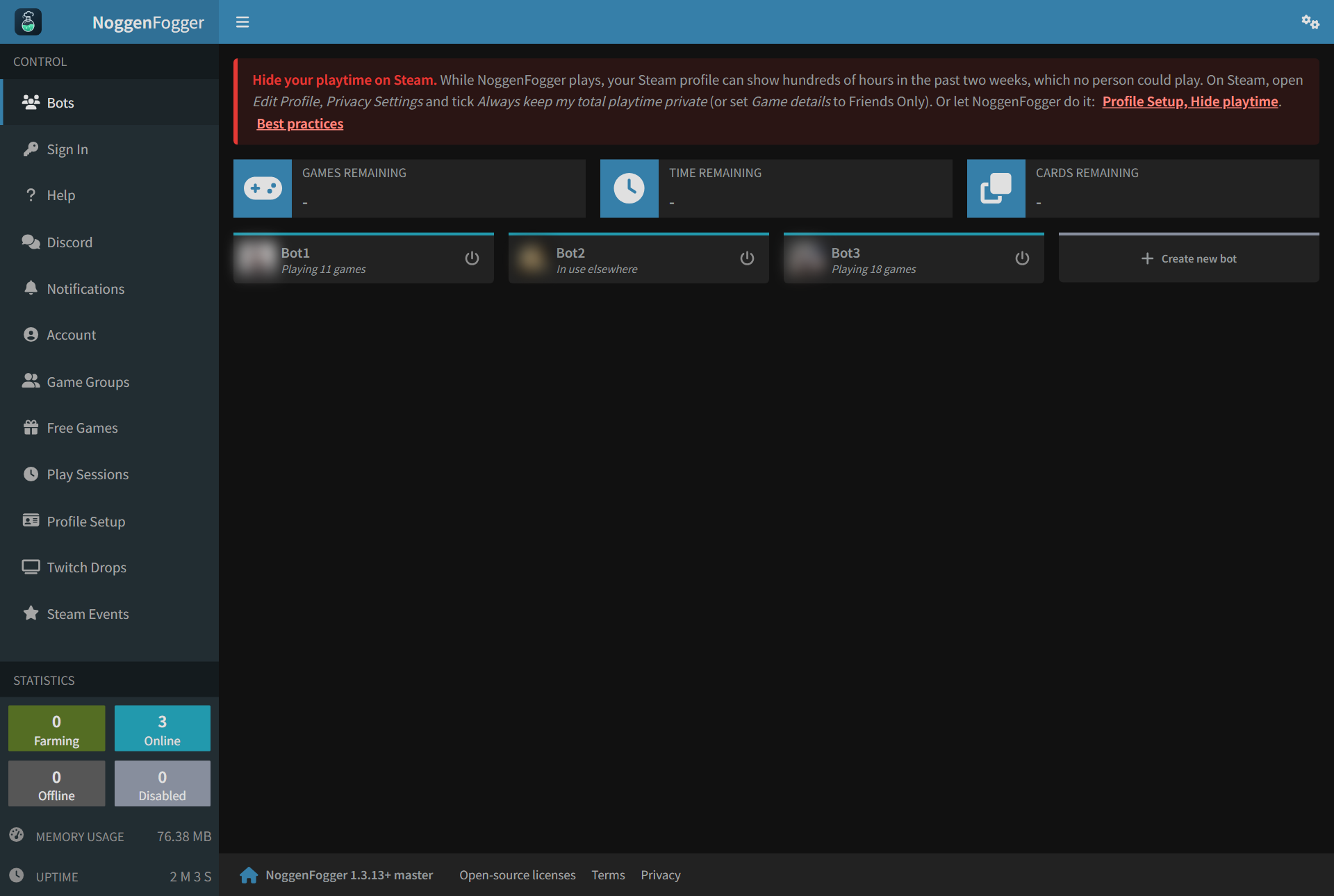
Your dashboard
Everything is in the menu on the left:
| Page | What it's for |
|---|---|
| Bots | Your accounts at a glance. Add a new one here. |
| Sign In | Sign an account in to Steam (only needed once). |
| Help | These articles. |
| Play Sessions | Which games each account plays, and when. |
| Free Games | Free-to-keep games, free weekends and betas. |
| Steam Events | The daily Steam freebies. |
| Profile Setup | Avatar, summary, country and privacy for new profiles. |
| Game Groups | Joining community groups for the account's top games. |
Start here
- Add your Steam account
- Sign it in
- That's it. New accounts are set up to play 24/7 with the free starter pack. Check the Play Sessions page if you want to change anything.
Still stuck? Open a ticket in your private Discord channel, or email admin at noggenfogger dot com.